01 / Start on Today
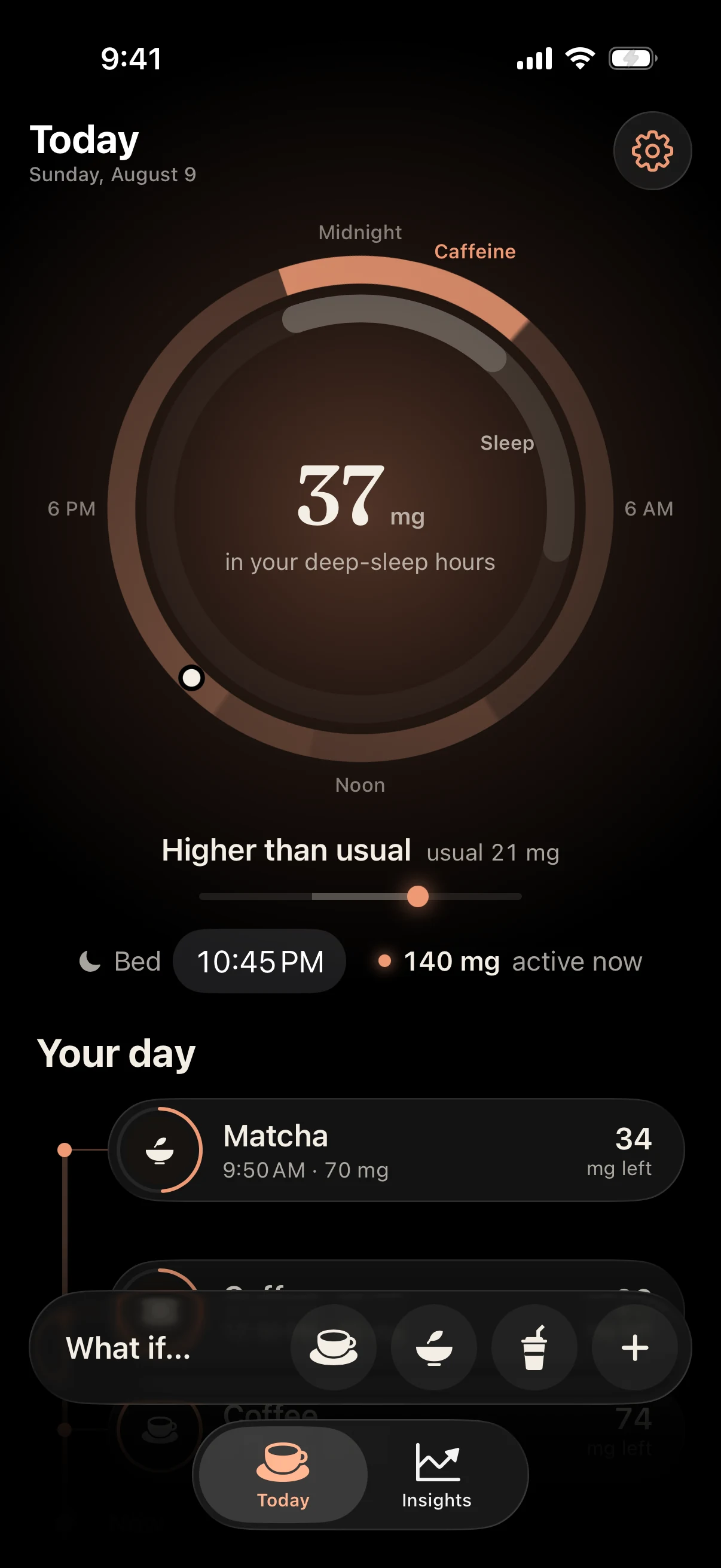
Choose the drink you want to check.
On Today, choose a drink to see what it could add. The preview shows what it would add to the drinks you've already logged. It doesn't save anything until you choose to log it.
If you want to understand the estimate first, the half-life guide walks through the math.
02 / Adjust the preview
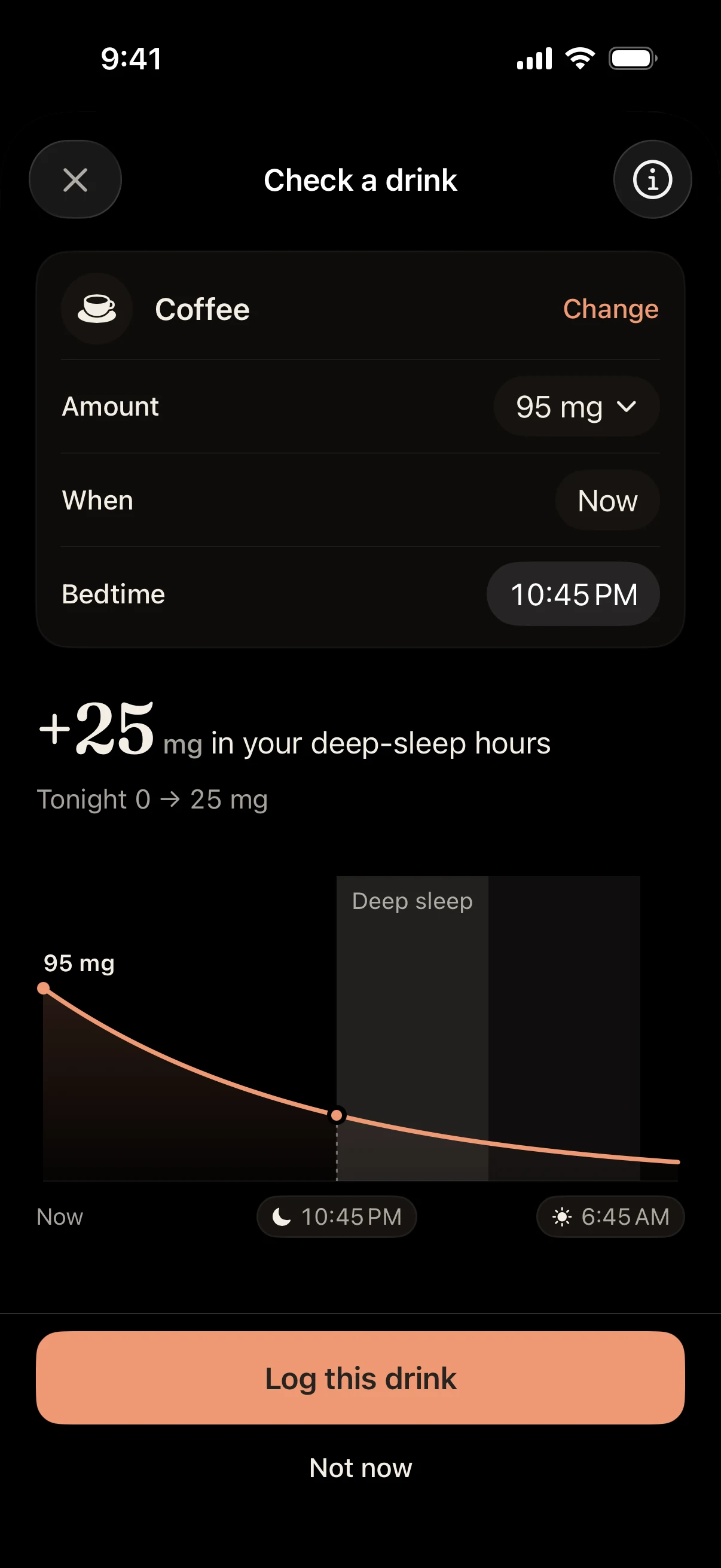
Check the amount, time, and bedtime.
Adjust the caffeine amount and the time you plan to have the drink. Check your bedtime in Settings so the estimate uses the night you're planning for.
If you know the caffeine in your actual serving, use it. A large coffee can have a lot more than the default entry, and the number on a can or a coffee shop's nutrition page beats guessing from the size.
The estimate changes as you adjust the drink. Onset uses a five-hour half-life; it doesn't measure the caffeine in your body or predict how well you'll sleep.
03 / Keep the log accurate
Save the drink when you have it.
When you have the drink, log it to save it to your history. If you were only checking, close the preview without logging it. That way your history only has drinks you actually had.
If you're logging something from earlier, set When to that time first. The same drink at 9 am and at 3 pm gives different bedtime numbers.
04 / Look back
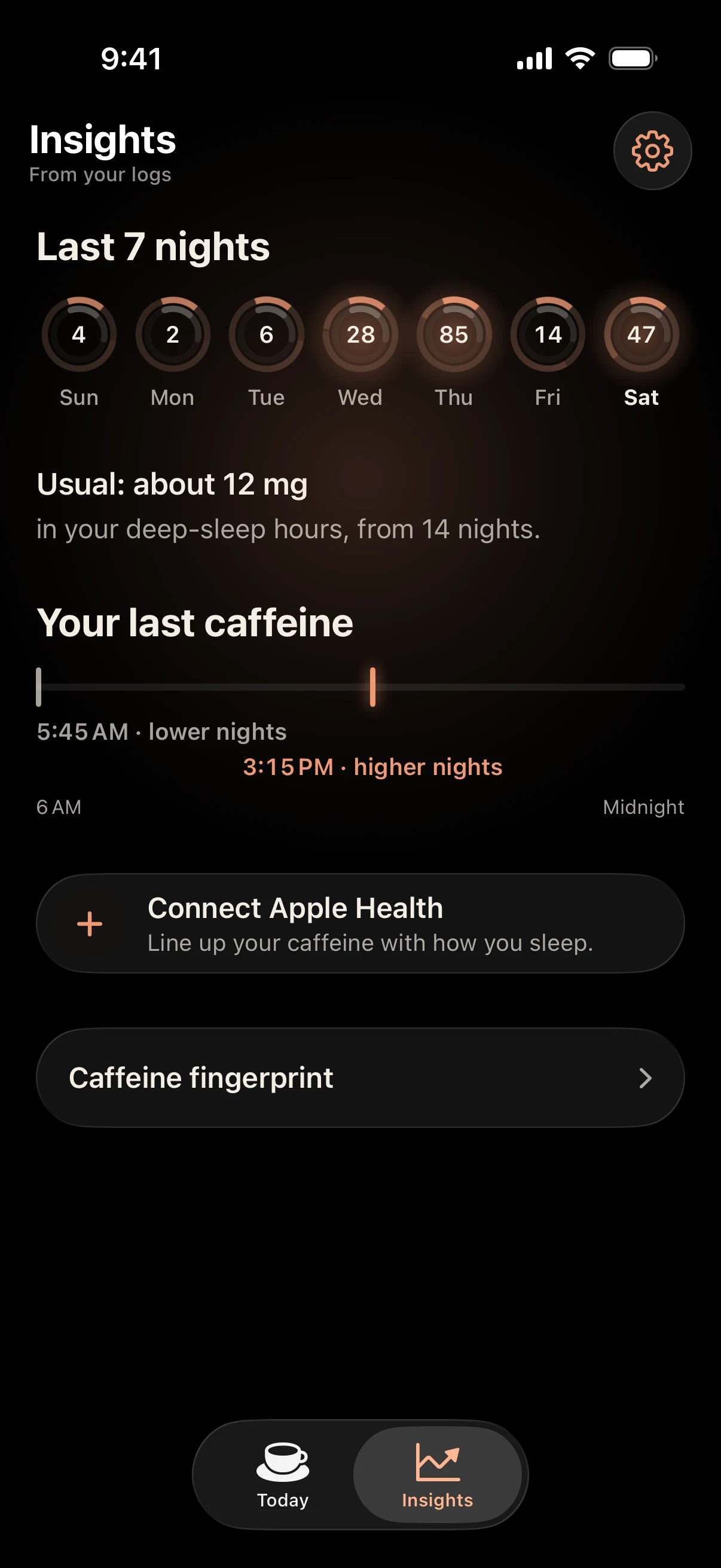
Review the pattern in Insights.
Open Insights to see recent nights, your usual estimated range, and when you logged your last caffeine. These fill in from your own logs; the screenshot uses demo data.
A lower number on a good night doesn't prove the caffeine made the difference. Read the history next to how you slept and felt.
Apple Health is optional. Onset can read sleep information if you choose to connect it; your caffeine history stays on your iPhone. See the Onset privacy policy for the details.
try it with your day
Onset is free.
Try the web calculator first, or keep a log on your iPhone.
Download Onset, freeSomething unclear? Get Onset support.